IMAG (Image Magnification) is the practice of capturing a live camera feed of a speaker or performer and projecting it onto large screens in real time, so every seat in the room can see facial expressions and detail that distance would otherwise erase. It’s the reason a keynote speaker on a stage 150 feet away still feels close enough to make eye contact with the back row. For any corporate event with more than a couple hundred attendees, IMAG isn’t a nice-to-have — it’s often the difference between an audience that’s engaged and one that’s checked out by the second slide.
Key Takeaways
- IMAG uses live cameras, a video switcher, and large screens or an LED wall to magnify a presenter’s image for audiences seated far from the stage.
- A common industry rule of thumb: if roughly a third of your attendees can’t make out facial expressions from their seats, it’s time to add IMAG.
- Professional IMAG setups typically run from a few thousand dollars for a single-camera ballroom package up into the tens of thousands for multi-camera productions with switching and dedicated operators.
- IMAG requires more than a camera — it needs a trained camera operator, a technical director on the switcher, and screens sized correctly for the room.
- The earlier you loop in your AV production partner, the better they can plan camera positions, screen placement, and power around your room layout.
What Is IMAG, Exactly?
IMAG stands for Image Magnification — a live, real-time video feed of what’s happening on stage, displayed on screens throughout the venue. Unlike prerecorded content playback or a livestream sent out to remote viewers, IMAG is built for the people already in the room. A camera (or several) frames the speaker, that feed runs through a video switcher, and the output is pushed to projection screens or an LED wall positioned so the whole audience can see it.
The concept originated in large-scale concert production, where fans in the back of an arena needed a way to see the performer’s face, not just a distant figure under stage lighting. Corporate events adopted the same approach for keynotes, product launches, awards ceremonies, and general sessions — anywhere a speaker needs to connect with an audience that’s spread across a large ballroom or hall.
When Do You Actually Need IMAG?
Not every event needs it. A 40-person board meeting in a conference room doesn’t need magnified video — everyone can already see the presenter clearly. The calculation changes as room size and attendee count grow.
A widely used benchmark in the AV industry is what’s sometimes called the 33 percent rule: if roughly a third or more of your attendees are far enough from the stage that they can’t clearly make out the presenter’s facial expressions, it’s time to plan for IMAG. In practical terms, that threshold tends to show up once a general session crosses somewhere around 200–300 attendees in a standard ballroom, though the exact number depends on room depth, staging height, and seating layout.
Screen sizing follows a related rule of thumb: for a 16:9 screen, the screen height should be roughly one-tenth of the distance from the screen to the last row of seats. A ballroom with 100 feet between the stage and the back wall generally needs a screen in the neighborhood of 10 feet tall by 18 feet wide to stay legible from every seat.
What Goes Into an IMAG Setup
IMAG looks simple from the audience’s seat — a face on a screen — but it’s one of the more crew-intensive pieces of a production. A typical setup includes:
- Cameras. Broadcast-quality cameras with long zoom lenses (often 20x or more) so operators can hold a tight, stable shot on a moving presenter from across the room.
- A camera operator. Someone dedicated to following the speaker, adjusting framing, and reacting to blocking changes in real time — this isn’t a job for a fixed, unmanned camera in most cases.
- A video switcher and technical director. The switcher blends the camera feed with slides, video content, and graphics, and the TD calls the cuts so transitions feel clean rather than jarring.
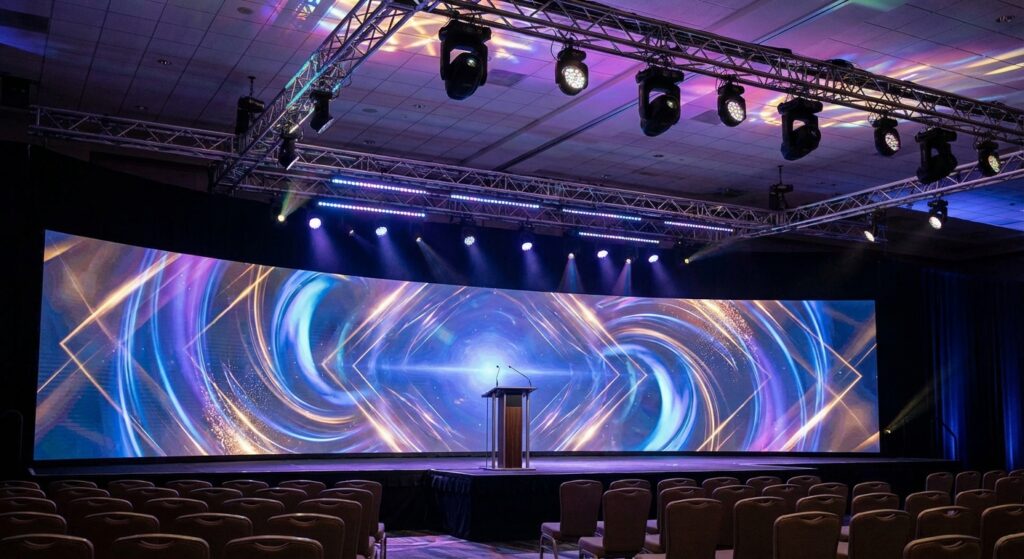
- Display surfaces. Either projection screens or an LED wall, sized and positioned for sightlines from the back of the room. Each has trade-offs in brightness, ambient light tolerance, and footprint that are worth discussing with your production team.
- Signal distribution and cabling. Camera feeds, switcher output, and content sources all need to travel reliably across the venue, which means planning cable runs and power well before load-in.
What IMAG Costs
Pricing swings widely based on camera count, screen size, and crew. Industry sources put a basic single-camera IMAG package with a modest screen in the $3,000–$25,000 range, while multi-camera productions with a full switching package, dedicated LED walls, and a larger crew can run well beyond that for major general sessions (HB Live). Where your event lands in that range depends less on the room and more on how many cameras you need, whether you’re using projection or LED, and how much crew time the show requires from load-in to strike.
The most reliable way to get an accurate number is to share your attendee count, room dimensions, and run-of-show with your AV production company early, so they can right-size the camera package instead of quoting off a generic template.
How to Brief Your AV Team on IMAG Needs
If you think your event might need IMAG, a few details make the planning conversation faster and the quote more accurate:
- Final or projected attendee count, and the room’s seating chart or layout if you have one.
- Ceiling height and any rigging restrictions in the venue.
- Whether the speaker will be stationary at a podium or moving around the stage — this affects camera count and operator needs.
- Whether you also need the same feed for a livestream or recording, since that changes switcher and encoding requirements.
- Any branding, lower-thirds, or slide integration you want blended into the camera feed.
Sharing this early — ideally weeks before the event, not days — gives your production team time to plan camera positions, screen placement, and power drops around the rest of the room instead of retrofitting IMAG into a floor plan that’s already locked.
Frequently Asked Questions
Is IMAG the same as a livestream?
No. IMAG is built for the audience physically in the room — it magnifies the stage onto screens they can already see in person. A livestream sends that same kind of feed out to remote viewers over the internet. Many events use the same cameras for both, but the production requirements (encoding, internet bandwidth, stream-specific audio mix) are different, and you should tell your AV team upfront if you need both.
Do small events ever need IMAG?
Occasionally. A long, narrow room or a stage with poor sightlines can make IMAG useful even with a smaller guest count. The room’s shape and the distance to the back row matter more than a hard attendee number.
LED wall or projection screen for IMAG?
Both work. LED walls handle ambient light better and offer more flexibility in shape and placement, but they typically cost more and need more floor or rigging space. Projection is often more budget-friendly for a single ballroom screen but performs worse in rooms with a lot of natural light. Your AV production company can walk through the trade-offs for your specific venue.
How many cameras does a typical corporate keynote need?
A single stationary podium speaker can often be covered with one well-positioned camera. Add a second camera for wider coverage or a moving presenter, and productions with panel discussions or multiple speakers frequently need two to three cameras so the switcher always has a usable angle to cut to.
Who operates the cameras and switcher on event day?
Your AV production company provides trained camera operators and a technical director as part of the crew, alongside the audio and lighting team. These roles are typically built into the production quote rather than billed as an afterthought.
Pro Connect Group provides audio, video, and lighting production for corporate events, conferences, and galas across Portland and the Pacific Northwest, including camera-based IMAG, LED walls, and full video switching. If you’re planning a general session or keynote and aren’t sure whether your room needs magnified video, share your attendee count and floor plan with our team and we’ll help you right-size the video package before you finalize your budget.