IMAG—short for image magnification—is the live video system that captures your speaker, performer, or presenter on camera and displays them in real time on large screens, so every seat feels front-row regardless of where it sits in the room. If you’ve attended a keynote in a large ballroom and seen the presenter’s face projected on flanking screens beside the stage, you’ve seen IMAG at work.
Key Takeaways
- IMAG = image magnification — a live camera-to-screen system that helps large audiences clearly see speakers and performers.
- It requires cameras, a video switcher operator (TD), and at least one display surface (LED wall or projection screen).
- The 50-foot rule: if any attendee is seated more than 50 feet from the stage, IMAG belongs on your production checklist.
- A basic single-day IMAG package typically runs $3,000–$8,000; multi-camera conference setups can reach $15,000–$30,000+.
- A professional AV production company coordinates cameras, switching, graphics, and displays so your focus stays on the program.
Why IMAG Matters
Attendees who can’t clearly see the person speaking disengage fast. Research consistently shows that attendee attention and satisfaction are directly tied to how well they can follow and connect with the content being delivered. Human eyes can realistically read facial expressions and body language from about 20–30 feet away. Beyond that, you lose the emotional resonance that turns a good keynote into a memorable one.
For corporate events, that emotional connection isn’t a nice-to-have — it’s the return on your speaker investment. If you’ve committed real budget to bringing in a compelling executive, thought leader, or performer, you want every person in the room experiencing what’s being communicated, not staring at a tiny silhouette at the far end of a ballroom.
When Do You Need IMAG?
A common production benchmark: if any attendee is seated more than 50 feet from the stage, IMAG should be on your checklist. But several factors shape the call:
- Room depth and layout. A long, narrow ballroom with 400 people may need IMAG more urgently than a wide room with 600, depending on sightlines to the stage.
- Stage height. A raised platform helps visibility, but a 30-inch riser doesn’t replace magnification for guests in the back half of the room.
- Program type. Keynote presentations with slides don’t always require IMAG on their own — but panel discussions, award ceremonies, and live performances almost always do.
- Hybrid component. If any part of your audience joins remotely, you’re already producing a camera signal. Adding in-room IMAG displays at that point is a marginal cost with high ROI.
- Audience expectations. A C-suite leadership summit demands a higher visual production standard than a departmental lunch-and-learn.
The Core Components of an IMAG System
Understanding how the pieces fit together helps you ask the right questions when briefing an AV production company.
Cameras
Most IMAG setups use two to four cameras: a wide “safety” shot covering the full stage, a tight close-up for the presenter’s face, and optionally a roving handheld or jib for more dynamic coverage. PTZ (pan-tilt-zoom) robotic cameras are increasingly common for mid-tier budgets — they can be remotely operated and reduce the per-camera crew headcount. For high-production events with live entertainment or complex multi-speaker panels, staffed camera operators provide faster, more emotionally intelligent coverage.
Video Switcher and Technical Director
The switcher is the brain of the system. A technical director (TD) sits at the switcher and calls cuts in real time — transitioning between camera feeds based on who’s speaking, what’s happening on stage, and the visual pacing the program needs. This is a skilled role: a good TD reads the room, anticipates speaker movement, and keeps cuts smooth rather than jarring. The switcher also takes in other sources — presentation slides, pre-produced video playback, graphic overlays — and routes everything to the correct display surfaces.
Display Surfaces
The live camera feed lands on one or more screens flanking the stage. The two most common configurations:
- LED walls — bright, high-contrast, and visible even when the room isn’t fully dimmed. Better for venues with ambient light, outdoor events, or productions that demand a premium visual look.
- Rear or front projection screens — cost-effective for large surface areas, excellent in controlled lighting environments. A 20-foot wide screen can be produced for considerably less than an equivalent LED wall.
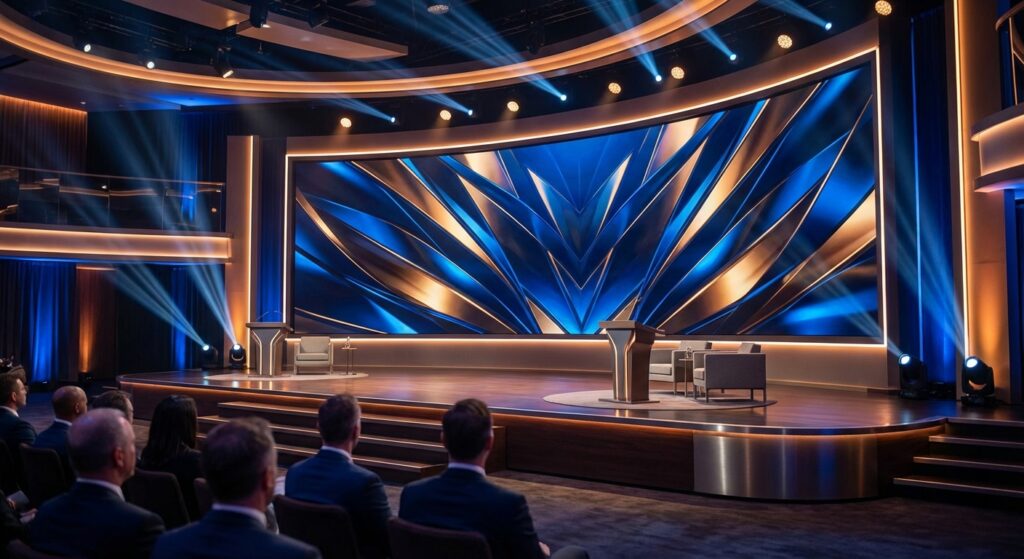
Screen placement matters. Flanking screens positioned at stage left and stage right, angled slightly inward, give the broadest sightline coverage for the most seats. Avoid placing IMAG screens directly behind the presenter — it forces the audience to choose between watching the person and watching the screen.
Graphics and Content Integration
Modern IMAG systems go well beyond a simple camera feed. They integrate lower thirds (name and title graphics over the speaker’s image), event branding and logo bugs locked to a screen corner, speaker slide passthrough, and pre-produced video playback from a dedicated media server. This integration is why IMAG and your presentation system need to be designed together — not treated as separate line items — from the start of production planning.
IMAG Across Different Event Types
Corporate Conferences and Keynotes
This is IMAG’s home turf. A two-camera setup with a dedicated TD, flanking screens, and slide integration is the standard configuration for conferences of 300 or more. Plan for at least one confidence monitor — a small screen facing the presenter so they can see exactly what the audience sees — and a stage clock or countdown if your speakers are delivering timed remarks.
Galas and Award Ceremonies
Award shows add real complexity: multiple presenters, recipients walking to the stage, live audience reactions. A roving handheld camera or a dedicated audience-position camera lets the TD cut to genuine reactions, adding emotional energy that elevates the in-room experience. Pre-built lower-third templates announcing each winner are high-impact and straightforward for your graphics team to prepare in advance.
Live Music and Entertainment
Live performances demand fast-cut, dynamic camera work — the kind that requires experienced operators and a TD who understands music pacing. For corporate events featuring a live band, comedian, or headline performer, the artist’s technical rider will often specify IMAG requirements: minimum camera count, switcher specs, ISO recording needs. An experienced AV production company reads and fulfills those riders so you don’t encounter a contract dispute on show day.
Hybrid Events
If you’re streaming to a remote audience, the camera signal you’re already producing for IMAG feeds directly into your livestream production chain. The incremental cost of serving a remote audience well drops significantly when IMAG is already in the budget. In our experience producing hybrid events, the most common planning mistake is treating IMAG and streaming as separate systems — unified design from the start saves cost and produces a cleaner output for both audiences.
How to Brief Your AV Production Company on IMAG
When you reach out to an audio, video, and lighting production company about IMAG, come prepared with:
- Venue name and room — ideally with a floor plan or CAD drawing
- Attendance estimate and seating configuration — theater, rounds, cabaret, or mixed
- Stage position — centered, off to one side, thrust, or in-the-round
- Program rundown — number of speakers, panel segments, performances, video playback moments
- Any performer technical riders — share them early; surprises the week before show day are expensive
- Hybrid or streaming requirement — yes or no, platform, expected remote audience size
- Branding assets — logos, hex color codes, lower-third templates if you have them
The more your production team knows going in, the more accurate your proposal will be — and the smoother load-in and show day go.
What Does IMAG Cost? A Realistic Budget Guide
IMAG pricing is driven by camera count, display surface type and size, crew, and show complexity. Here are rough single-day benchmarks for the Pacific Northwest market:
- Entry-level (2 PTZ cameras, switcher, two 10×6 projection screens): $3,000–$6,000
- Mid-tier (2–3 manned cameras, dedicated TD, LED side screens, graphics integration): $8,000–$15,000
- High-production (4+ cameras, jib or roving, full LED walls, multi-source playback, broadcast-grade switcher): $20,000–$50,000+
These figures cover production only — display hardware rental may be a separate line item depending on how your quote is structured. Always request an itemized proposal so you can make apples-to-apples comparisons across vendors. According to industry reporting from TSNN, live event production budgets have grown year over year as attendee experience expectations rise — and IMAG consistently ranks among the highest-ROI line items for audience engagement at large-format events.
Frequently Asked Questions About IMAG
What does IMAG stand for in event production?
IMAG stands for image magnification. It refers to any live video system that captures a person on stage and displays them in real time on large screens, so audiences seated far from the stage can see the speaker or performer clearly and maintain an emotional connection to the content.
How many cameras do I need for IMAG at my event?
A minimum viable IMAG setup uses two cameras: one wide safety shot and one tight close-up. Most professional conference setups use three. Live entertainment and award ceremonies often benefit from four or more to cover both stage action and audience reactions.
Can IMAG feed into a livestream at the same time?
Yes — and this is one of the most efficient ways to produce a hybrid event. The video switching system driving your in-room IMAG screens can simultaneously send a program feed to a streaming encoder. The camera signal you’re already capturing serves both audiences with minimal additional equipment or cost.
What’s the difference between IMAG and a videowall?
A videowall (or LED wall) is a display surface — the physical hardware that shows content. IMAG is a function — the live camera-to-screen workflow. You can run IMAG on an LED wall, a projection screen, or any display surface capable of receiving a video signal. The videowall is the canvas; IMAG is what you put on it.
Do I need IMAG for a 300-person event?
It depends on the room and program. In a compact ballroom where no seat is more than 50 feet from the stage, you may not need it. In a long or wide room — or if your program includes a panel, performance, or award presentations — 300 people is typically the threshold where IMAG starts delivering clear value. When in doubt, ask your AV production company to show you a scaled room drawing; the sightline analysis usually makes the decision obvious.
Let PCG Handle Your IMAG Production
Pro Connect Group designs and operates IMAG systems for corporate conferences, galas, award ceremonies, and live entertainment events across Portland and the Pacific Northwest. From a two-camera conference setup to a full multi-camera production with LED walls and broadcast-grade switching, our video team handles the technical details so your program runs without distraction. Contact us to talk through your event — bring your room dimensions and program rundown and we’ll spec the right system for your audience and budget.
View our camera and video switching inventory for IMAG: PCG Equipment Inventory →